
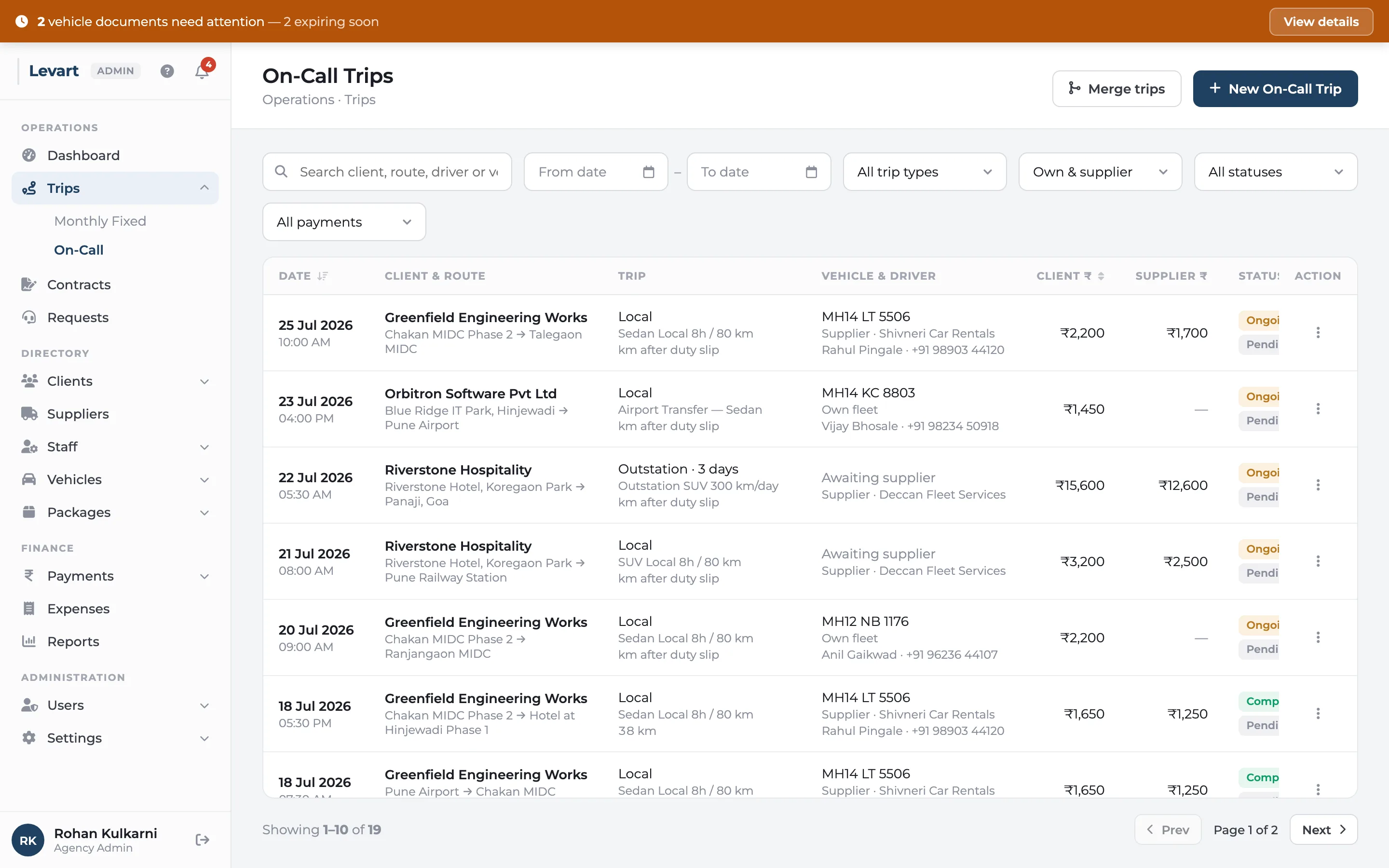
Take the booking in under a minute
Pick an existing client or type in a walk-in customer's name and number. Add pick-up and drop-off, the pick-up date and time, and whether it's local or outstation. For outstation, enter the number of days and Levart fills in the expected return date for you.
Then choose who's driving. Your own car and driver, or a supplier's vehicle. For a supplier trip you also pick the supplier's package, because that's what you'll pay them.
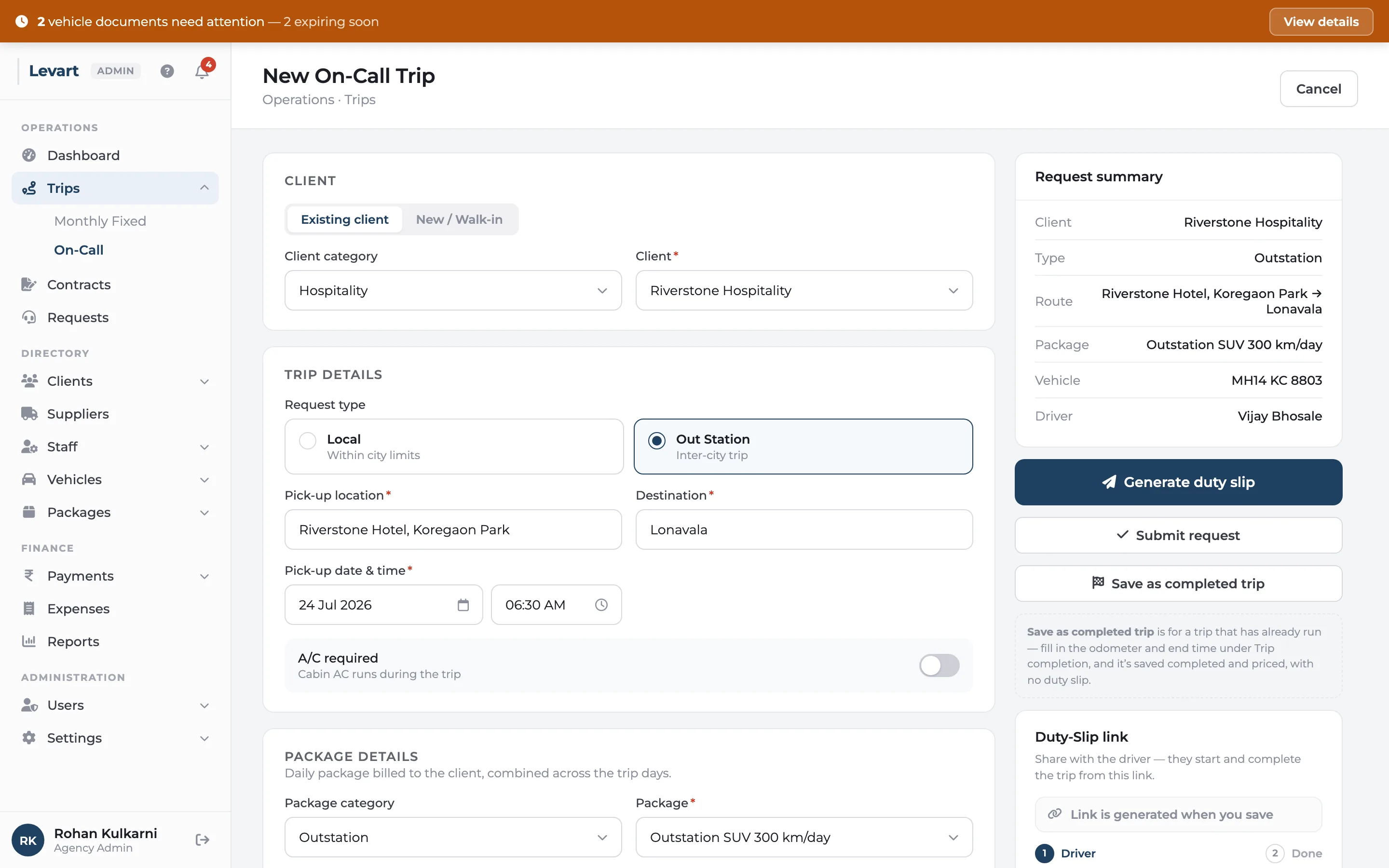
The trip prices itself
Every trip is billed from its package: a base rate, the kilometres and hours it includes, and what you charge for each one over. Outstation trips multiply the base by the number of days and pool the allowance, so a three-day trip on a 300 km/day package gets 900 km before extra kilometres start.
Supplier trips are priced twice — once from the client's package for your bill, once from the supplier's package for what you owe — and the difference is shown as your margin on the trip.
- Extra hours are charged pro-rata, so 30 minutes at ₹100 an hour is ₹50
- Tolls and parking go on the client's bill only when you say so
- Night halt and driver allowance carry a client amount and a driver amount
- Override the amounts by hand on the odd trip that needs it
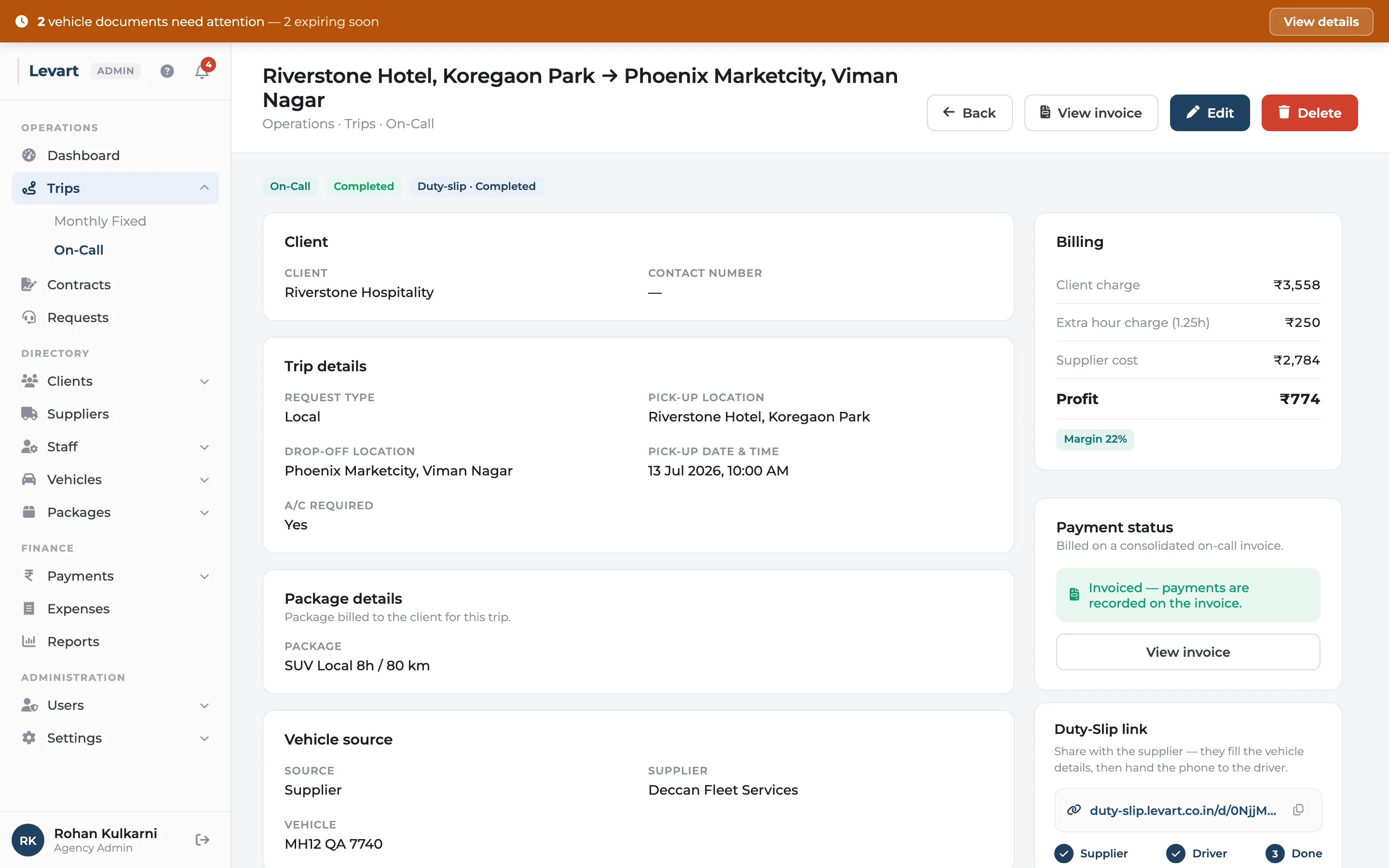
Trips entered after the fact
Moving over from registers, or catching up on last week? Fill in the whole trip, including the opening and closing odometer and the end time, and save it straight as completed. It's priced on the spot and no duty slip is sent. Levart checks the readings as you type: the closing KM can't be lower than the opening KM, and the trip can't end before it started.
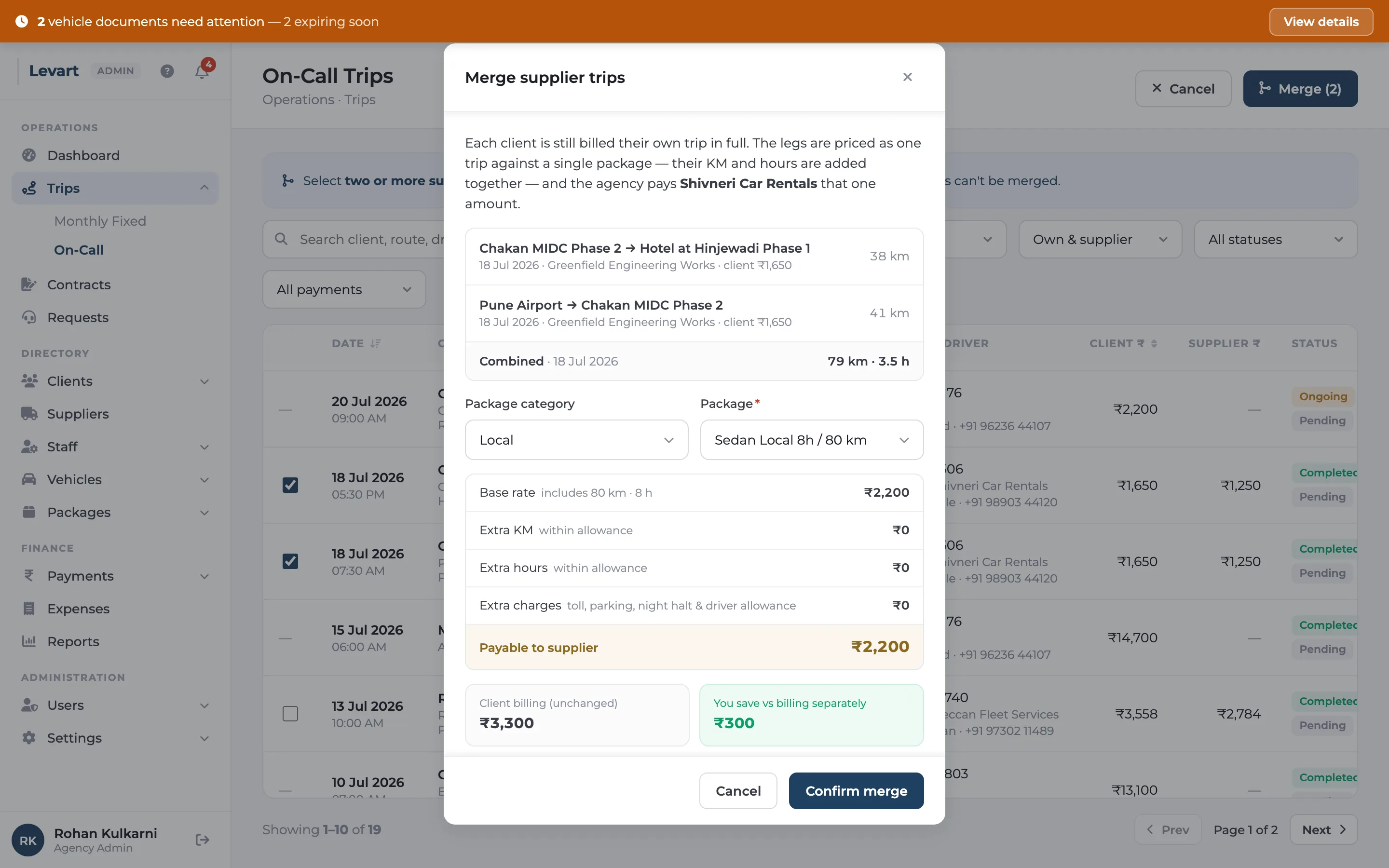
Pay a supplier once for a day of short trips
When one supplier car does three short runs for you on the same day, select them and merge. The legs are priced as a single trip against one package — kilometres and hours added together — so you pay the supplier for a day's work, not three minimum fares. Each client is still billed for their own trip.
Bill on-call clients monthly
Corporate clients who book on-call usually want one bill a month. Raise a consolidated on-call invoice for the month, or for any date range, and every completed trip of theirs in that window goes on it, grouped by vehicle type and package. A trip can only ever be billed once.
On-call trips: common questions
How is an outstation trip billed in Levart?
The package's daily base rate is multiplied by the number of days, and the included kilometres and hours are pooled across those days. Only the kilometres and hours over the pooled allowance are charged as extras.
Can I use supplier vehicles for on-call trips?
Yes. Choose 'Supplier' as the vehicle source, pick the supplier and their package. The supplier fills in the car and driver through the duty slip link, and what you owe them is worked out from their package.
Can I add old trips that already happened?
Yes. Enter the trip with its odometer readings and end time and use 'Save as completed trip'. It's priced immediately and no duty slip is sent.
Goes well with
Digital duty slip
A link, not an app. Odometer photos and the customer's signature, straight from the driver's phone.
Read moreGST invoicing
CGST, SGST or IGST worked out for you, printed on your letterhead or your pre-printed paper.
Read moreSupplier & staff payments
Supplier statements that match theirs, salaries with advances recovered, expenses booked to the car.
Read moreSee it with your own trips
Book a 30-minute call. Bring a month of duty slips or a contract, and we'll show you how Levart handles them.