
What your clients get
The things they usually phone your office for.
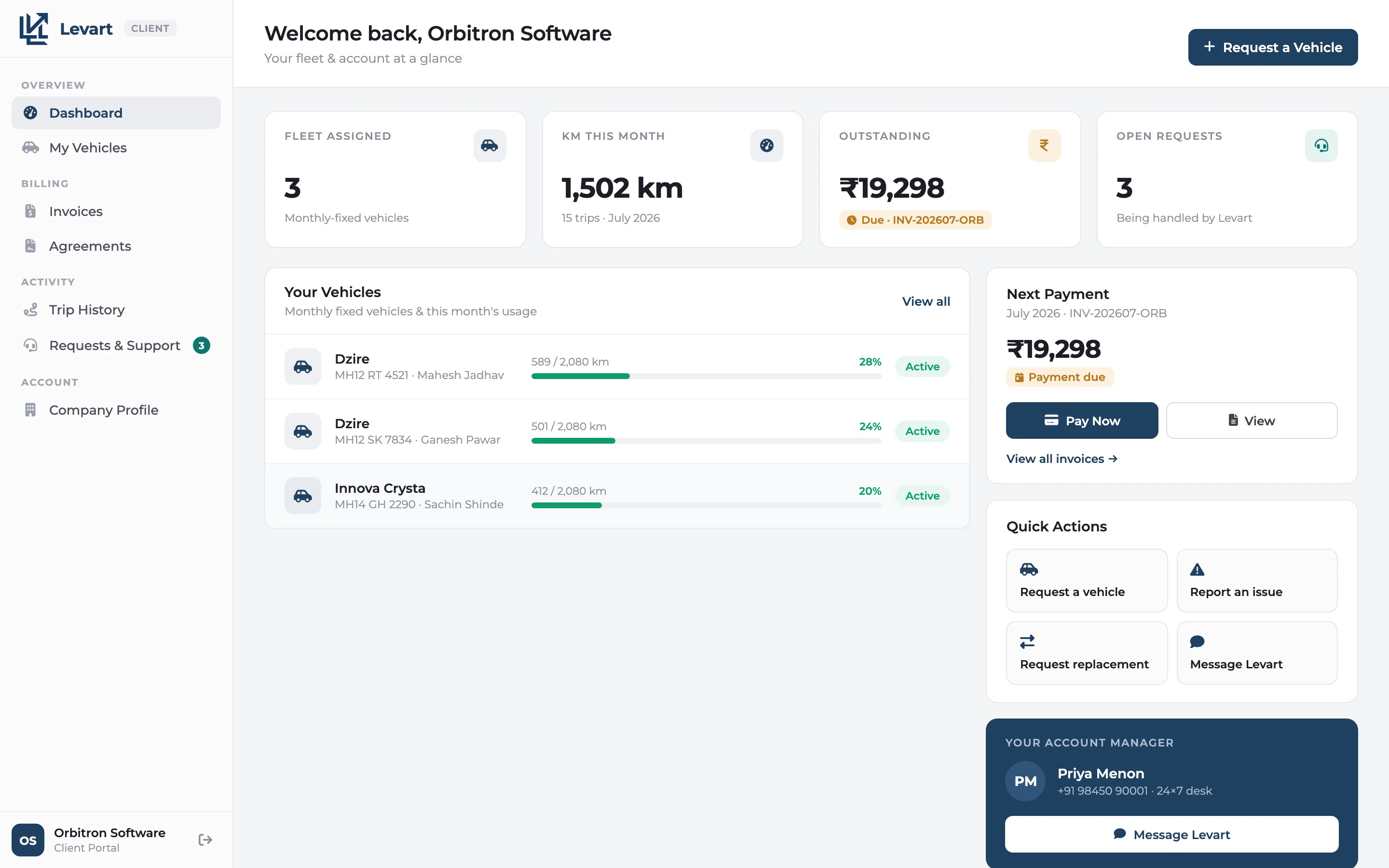
Kilometres against the limit
Each vehicle shows the kilometres used this month against what the contract allows, and is flagged when it's close to the limit or over it.
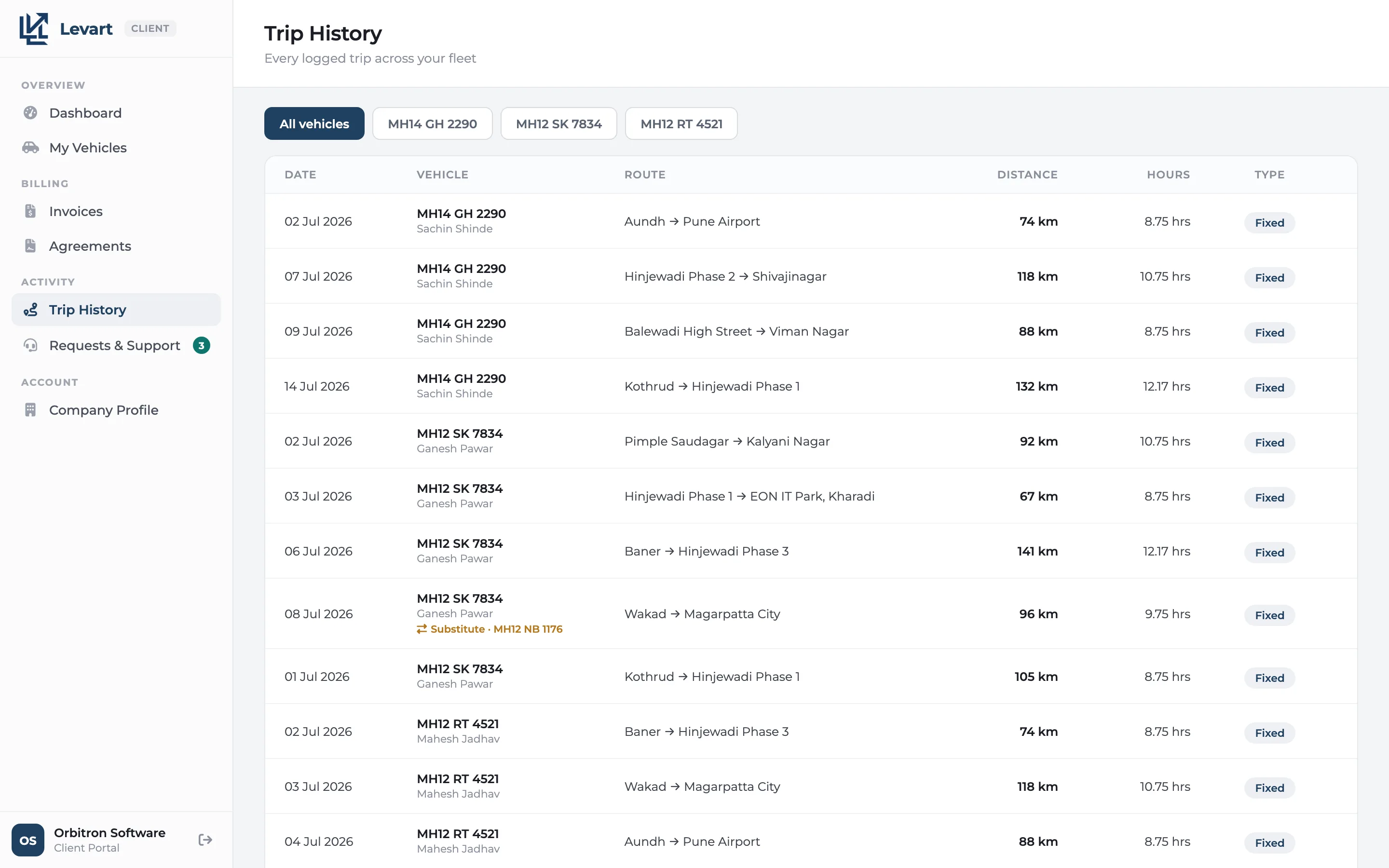
Every trip, with the details
Date, vehicle, driver, route, kilometres and hours for each trip, so the month-end invoice holds no surprises.
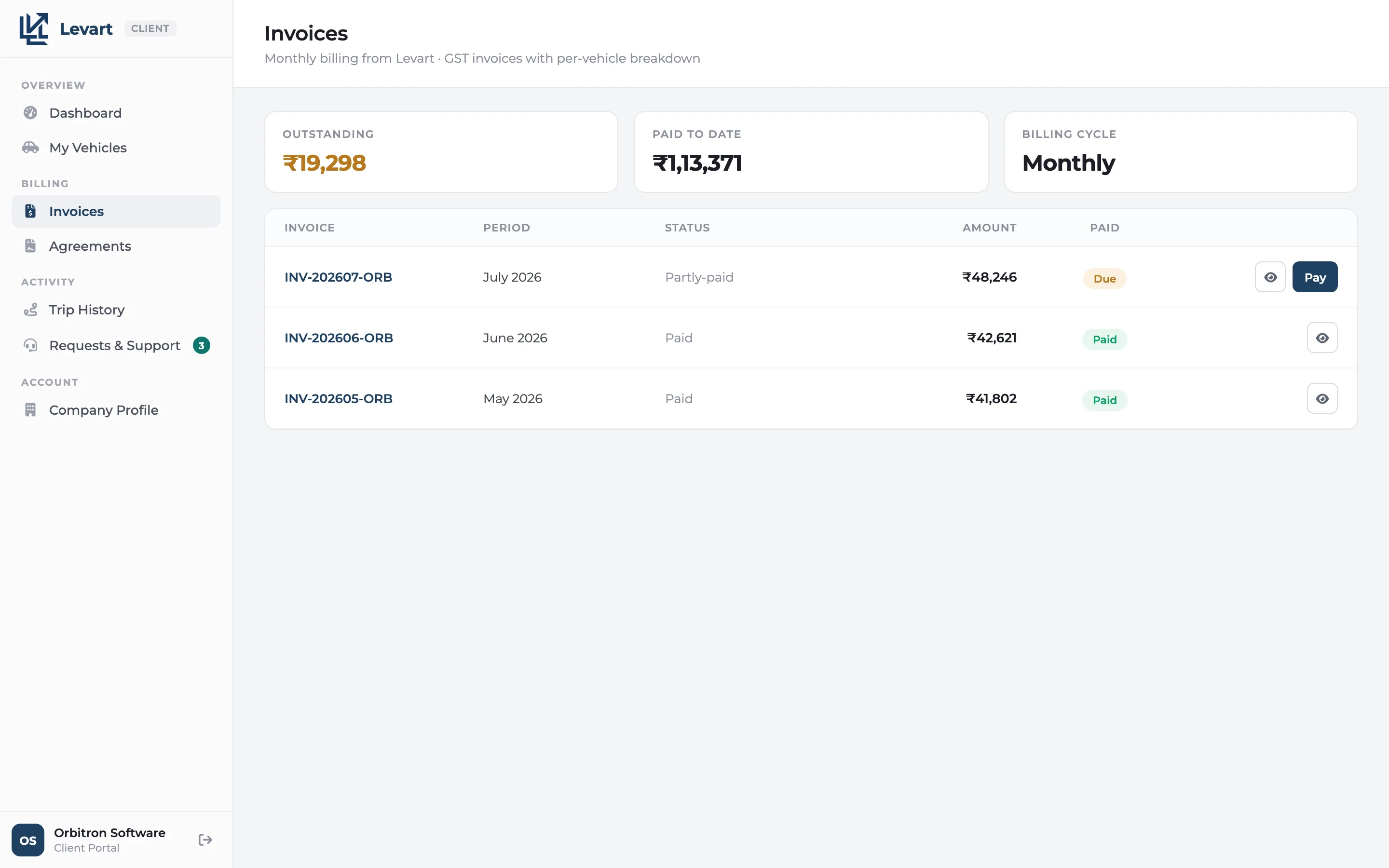
Invoices and what's still due
Every invoice with its per-vehicle breakdown and the balance due. When the client pays you, they can mark the payment and its reference.
Agreements
The contracts they have with you, with the vehicles, packages and dates on each.
Requests that don't get lost
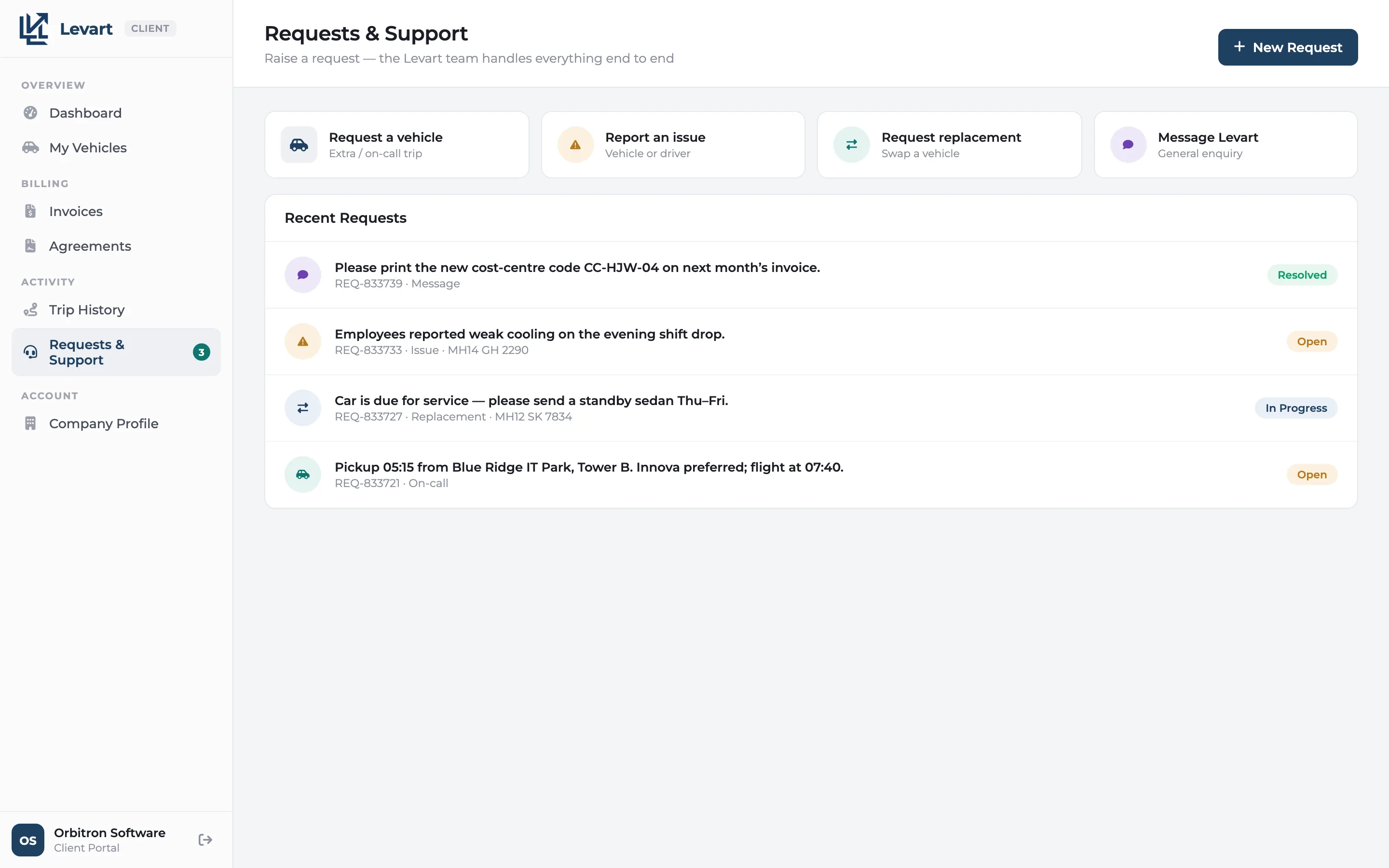
A new vehicle, a replacement, an issue with a car or just a message. It reaches your team as a request you can track, not a WhatsApp message.
Your suppliers stay private
A supplier's car looks the same as yours. The portal never shows who supplied a vehicle or what you pay for it.
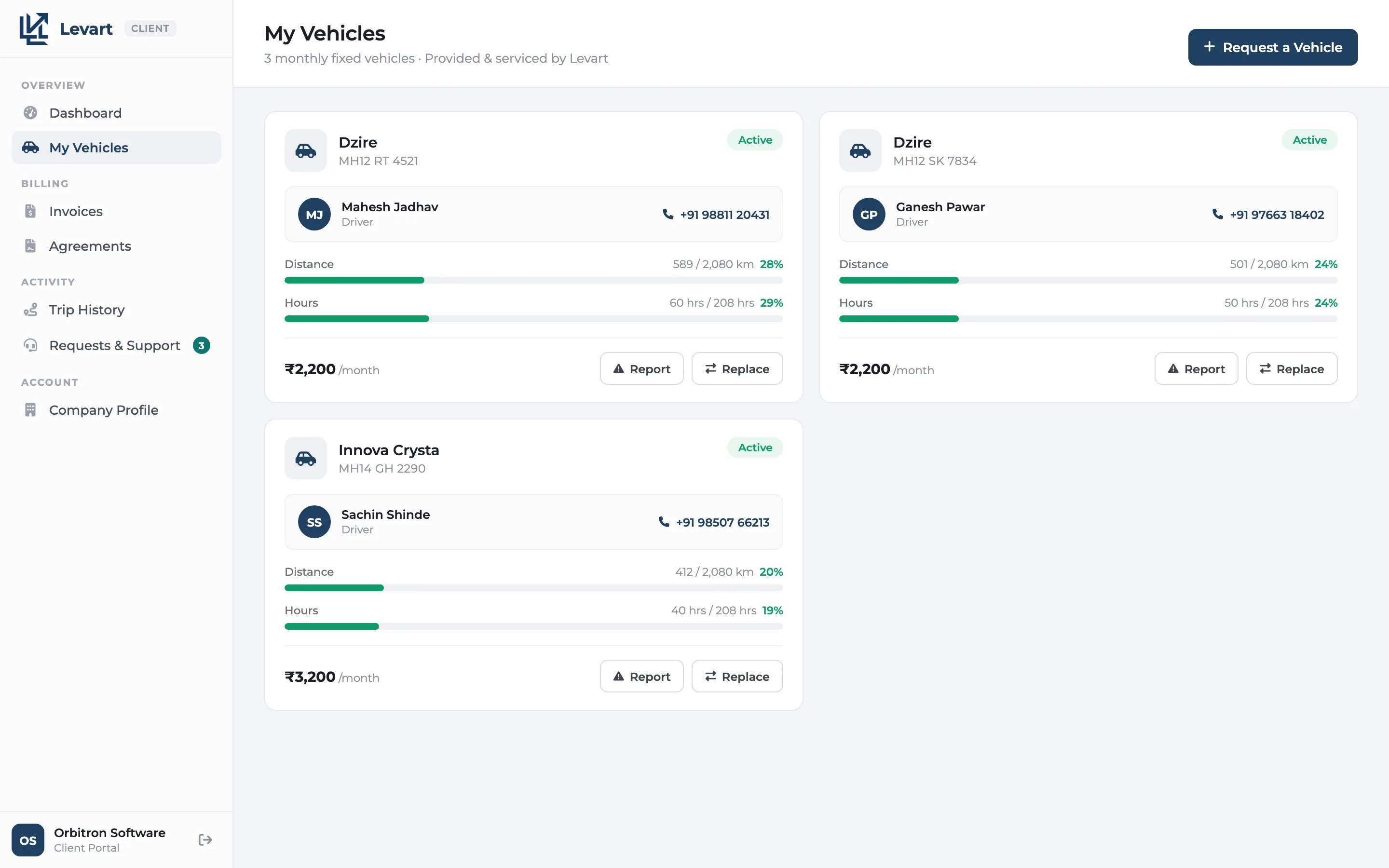
My vehicles
The cars on the client's contracts, each with its driver and this month's kilometres against the allowance. This is the screen that ends the "how much have we used?" calls.
Trips
The client's full trip history. Their admin team can check a date or a driver themselves before the invoice arrives.
Invoices
Every invoice you've raised for them and what's still due. When they pay, by UPI, NetBanking, card or NEFT, they can record it with the reference so your accounts team can match it.
Requests
Need another car next week? A replacement for one that broke down? The client raises it here and your team sees it straight away.
Giving a client access
Add the client's email
On the client's record in Levart, enter the email they'll sign in with.
Set a password and switch it on
Turn on portal access and share the password with them. You can switch it off at any time.
Nothing else to update
Trips, invoices and agreements show up in the portal as you record them.
Client portal: common questions
What can a client see in the Levart client portal?
Their vehicles with kilometres used against the contract limit, their trip history, invoices with the balance due, their agreements, and the requests they've sent you. They only ever see their own company's data.
Can clients see which supplier provided a vehicle?
No. A supplier's vehicle appears exactly like one of your own, and the portal never shows supplier names or what you pay them.
Can clients pay invoices online through the portal?
Not yet. Clients pay you the way they do today, by UPI, NetBanking, card or NEFT, and then record the payment and its reference against the invoice in the portal.
How does a client get access to the portal?
You add the client's email on their record in Levart, set a password and turn portal access on. They sign in with that email and password in any browser.
Which Levart plans include the client portal?
The client portal is included in the Growth, Scale and Enterprise plans, and is available as an add-on on Starter. There is no charge per client login.